Invoicing
Lynx Bank Reconciliation
Match every bank line to the invoices, bills and payments it settles
lynx_account_reconcile
· v19.0.1.0.0
· Standard

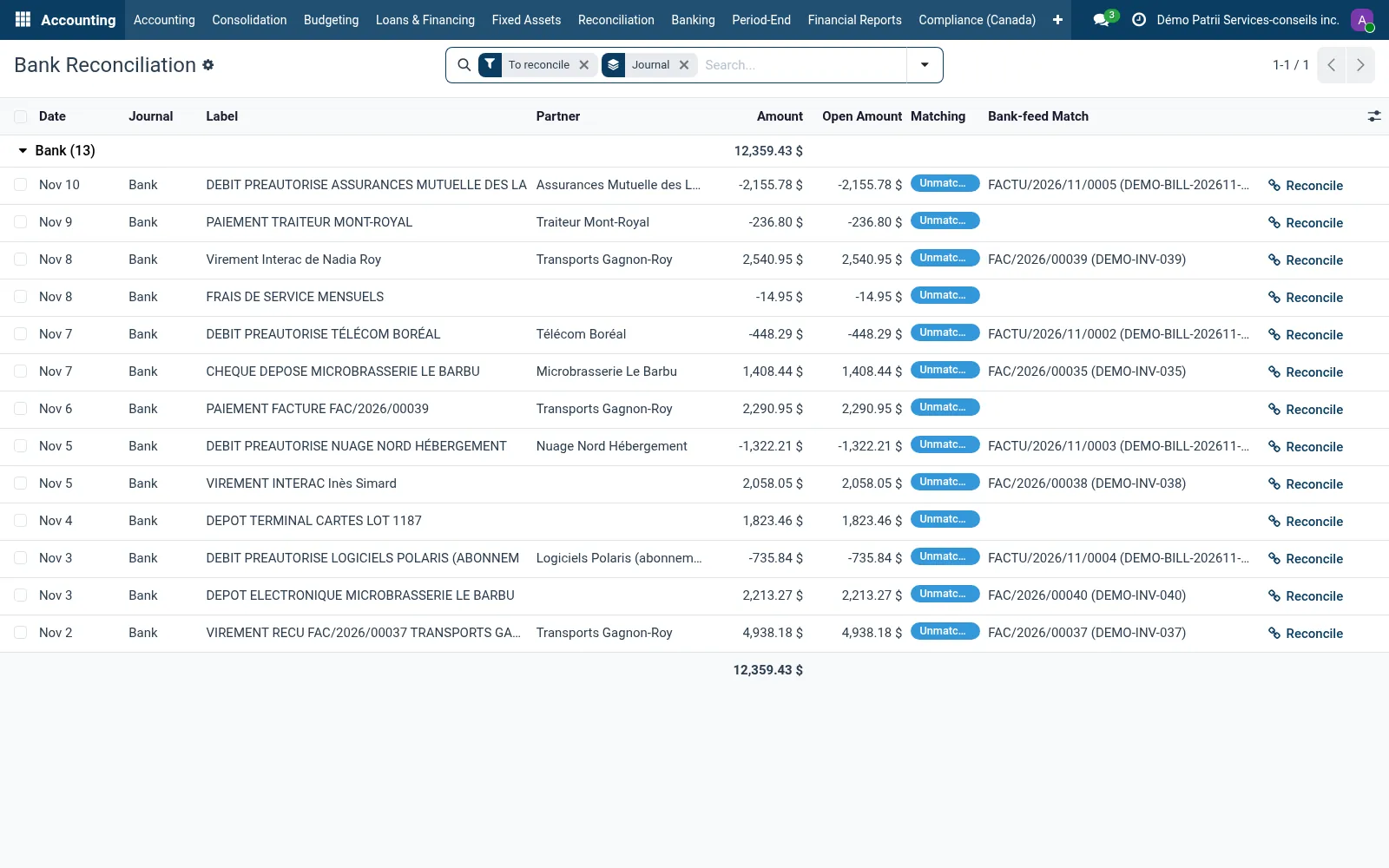
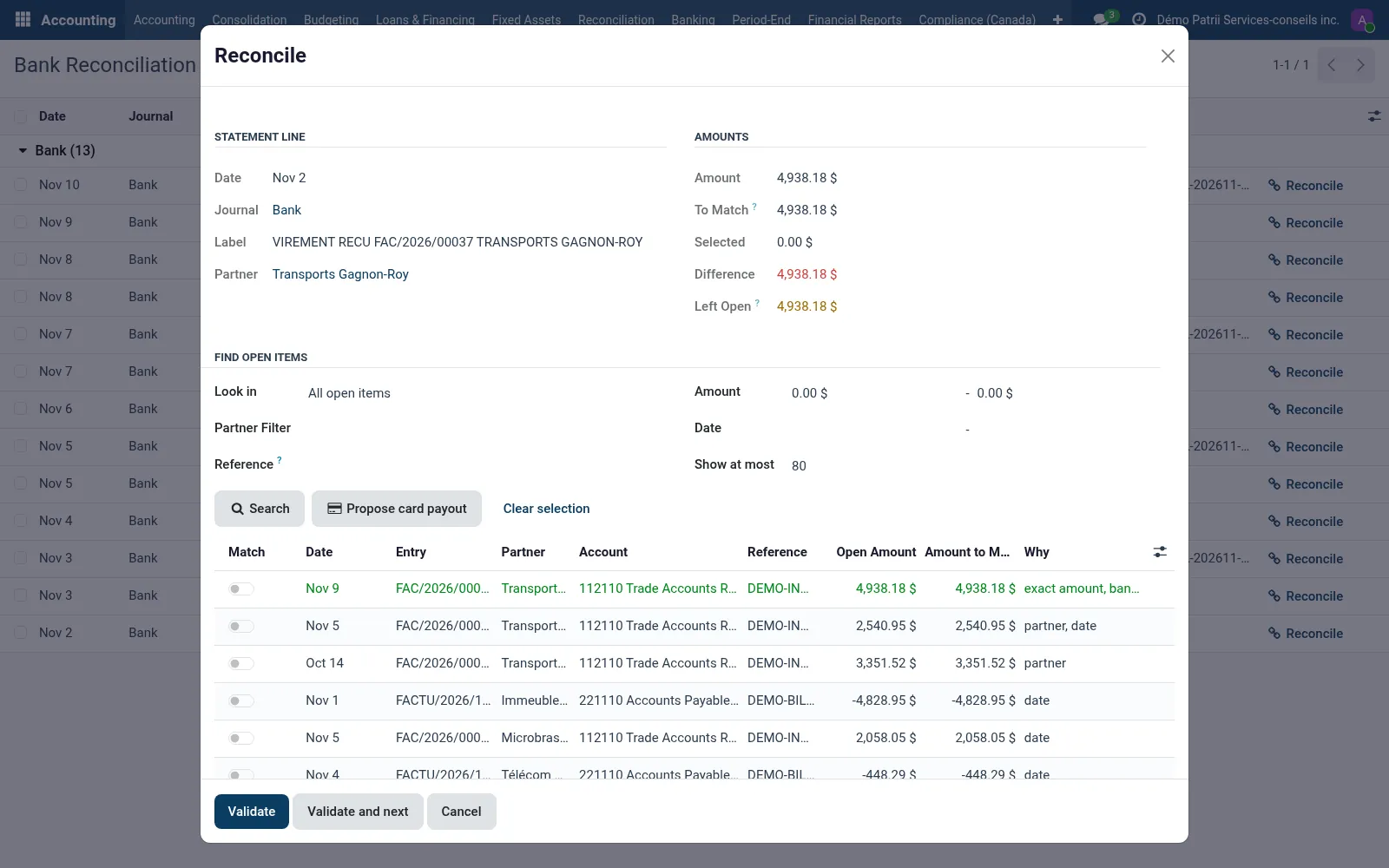
Bank Reconciliation lists the statement lines that are still on the suspense account and opens a workspace for each one. Open items are ranked by exact amount, partner, reference found in the bank label and date; select one or several, write off the difference or leave part of the line open for later.
Validating marks the invoices and bills paid. Undo puts the line back on the suspense account.
Why teams pick it
What Lynx Bank Reconciliation does for you
Ranked candidates
Each open item gets a score and the reasons behind it: exact amount, partner, reference in the label, date and the bank-feed suggestion.
Several items per line
A running total and the remaining difference; a smaller amount on an item makes a partial match.
Write-offs
Send the difference to an account with a label and optional taxes, for bank fees or exchange differences.
Card processor payouts
Proposes the card payments whose total, less the estimated fee, equals the deposit. The accountant validates the proposal.
Undo
Remove a reconciliation and put the line back on the suspense account.
Product tour
See it in action
Try Lynx Bank Reconciliation on your team.
Free trial, no credit card. Talk to sales when you're ready.