Invoicing
Lynx Bank-Feed (Sovereign)
Import bank statements and get the right account suggested for each line
lynx_accounting_bankfeed
· v19.0.1.2.0
· Standard

Bank Feed reads the statement files your bank already gives you (OFX, CAMT.053, QIF, CSV and scanned PDF statements) inside Lynx, without an aggregator. Statements can also arrive by email.
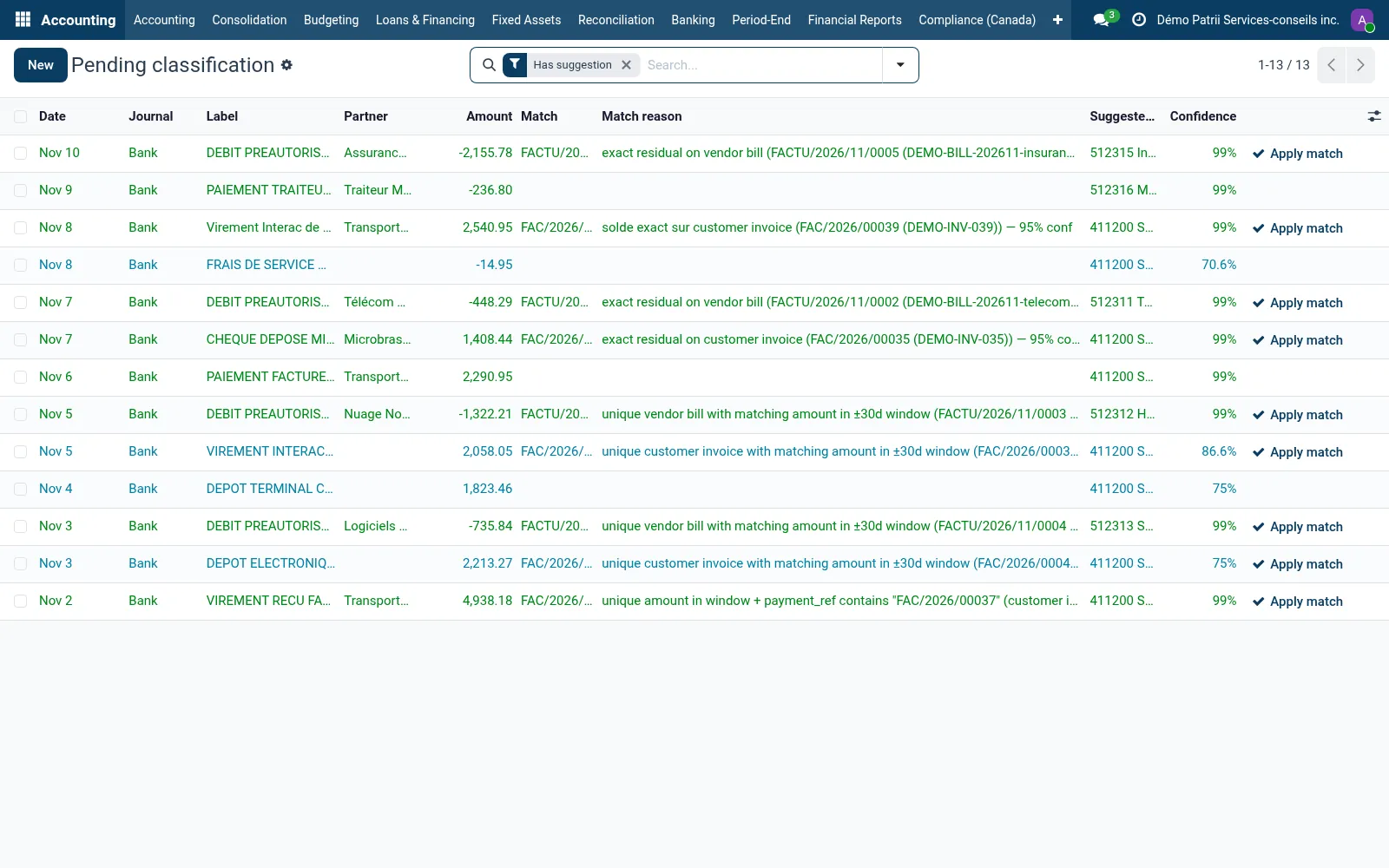
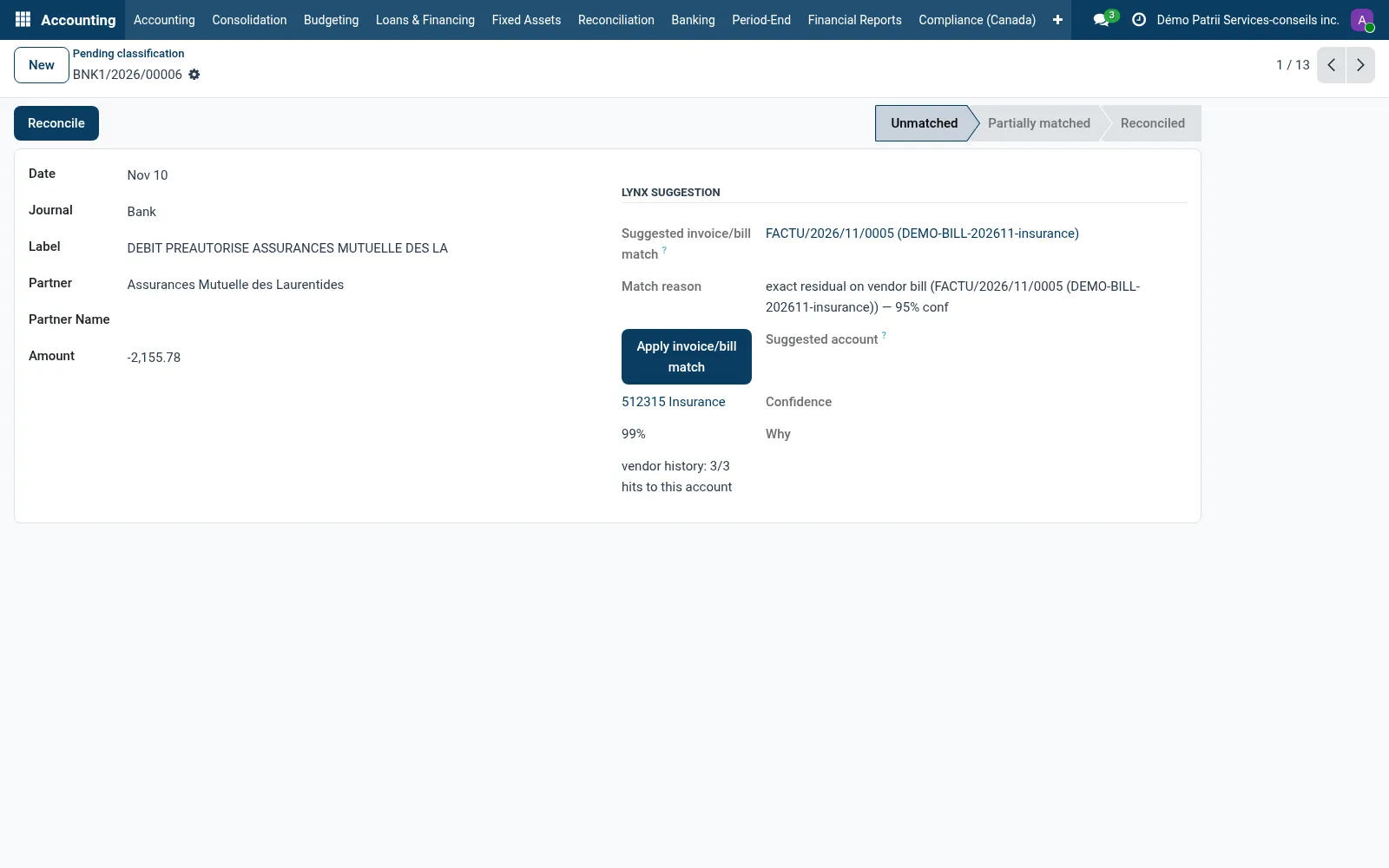
Each line is matched to the open invoice or bill it pays, and a classifier trained on your own posted history suggests the account, with its confidence. Corrections feed the next training.
Why teams pick it
What Lynx Bank-Feed (Sovereign) does for you
Your bank's files
OFX, CAMT.053, QIF and CSV are parsed locally; PDF statements go through text recognition.
Statements by email
Send a statement to an alias and it is imported into the bank journal.
Account suggestion
Three stages: the usual account of the vendor, a close match on past labels, then a model on the words of the label. Each suggestion shows its confidence and reason.
Invoice matching
Lines are matched to the open invoice or bill of the same amount, and the match can be applied in one click.
Learns from corrections
Retrained nightly, and sooner when enough corrections accumulate.
Data stays home
Parsing and training run inside your Lynx; no bank data is sent to a third party.
Product tour
See it in action
Integrations
Lynx Bank-Feed (Sovereign) works with 1 other module
Each bridge ships separately so you only install what your team uses.

Try Lynx Bank-Feed (Sovereign) on your team.
Free trial, no credit card. Talk to sales when you're ready.