Documents
Lynx Documents - Backend Document Management
Company files in workspaces, with versions and sharing
lynx_documents
· v19.0.1.13.2
· Standard

Lynx Documents gives your team one place for company files. Files are filed by workspace and folder, tagged, previewed and versioned, and shared with colleagues, groups or customers. The files themselves go to your S3-compatible object storage, or to the local filestore when none is available.
Why teams pick it
What Lynx Documents - Backend Document Management does for you
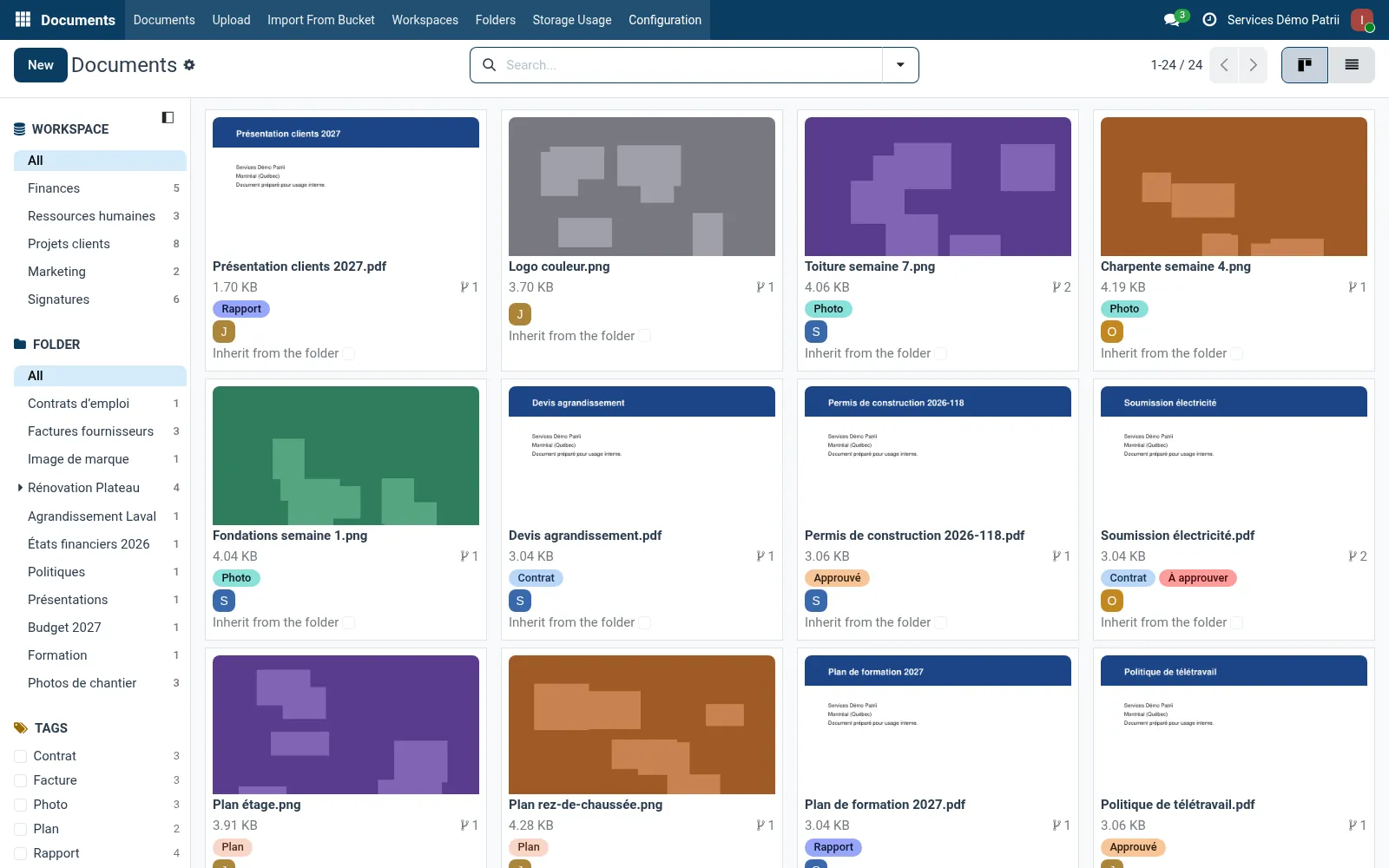
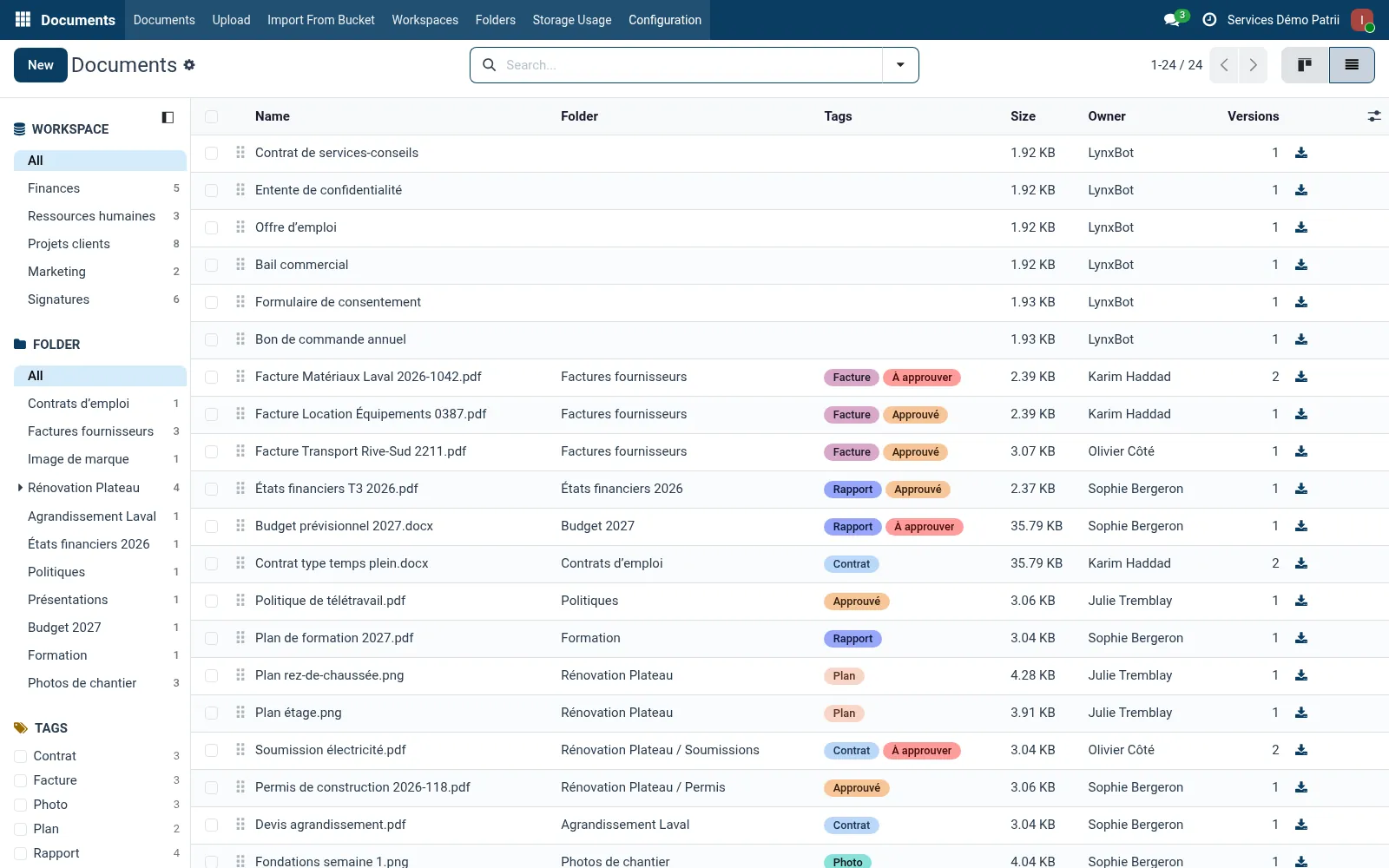
Workspaces and folders
A folder tree per workspace, ordered by hand, with counters in the side panel.
Versions
Each new upload becomes a new version of the same document, with the full history kept.
Tags and previews
Tags grouped by category, thumbnails for images and PDFs, and previews you can turn off per workspace, folder or document.
Sharing
View, edit or manage rights per document, and whole folders shared with a person, a group, a customer or every customer with a tag.
Object storage and quota
Files are written to the company’s object storage and uploads respect the storage quota; several files can be uploaded at once.
Nothing lost on removal
Before the app can be removed, every version is kept as a regular attachment, and the whole tree can be exported as a ZIP.
Product tour
See it in action
Try Lynx Documents - Backend Document Management on your team.
Free trial, no credit card. Talk to sales when you're ready.